A cloud ERP for suppliers and distributors of pharmaceuticals and medical goods. Tenders, vendors, purchase orders, deliveries and finance live in one workspace, from the first request for quotation to the final payment.
OfferPilotAI reads tenders and vendor offers, so your team reviews instead of retyping.
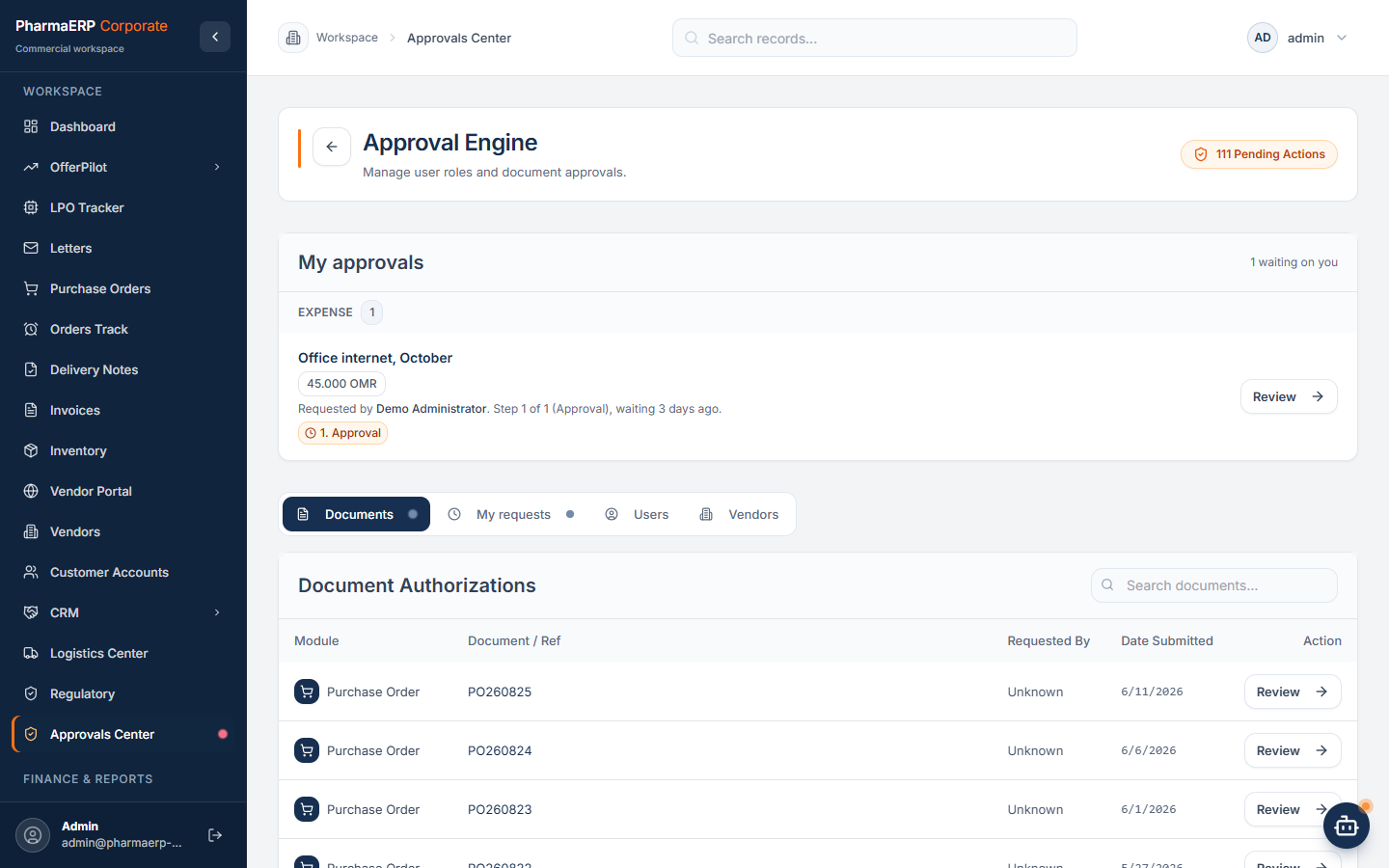
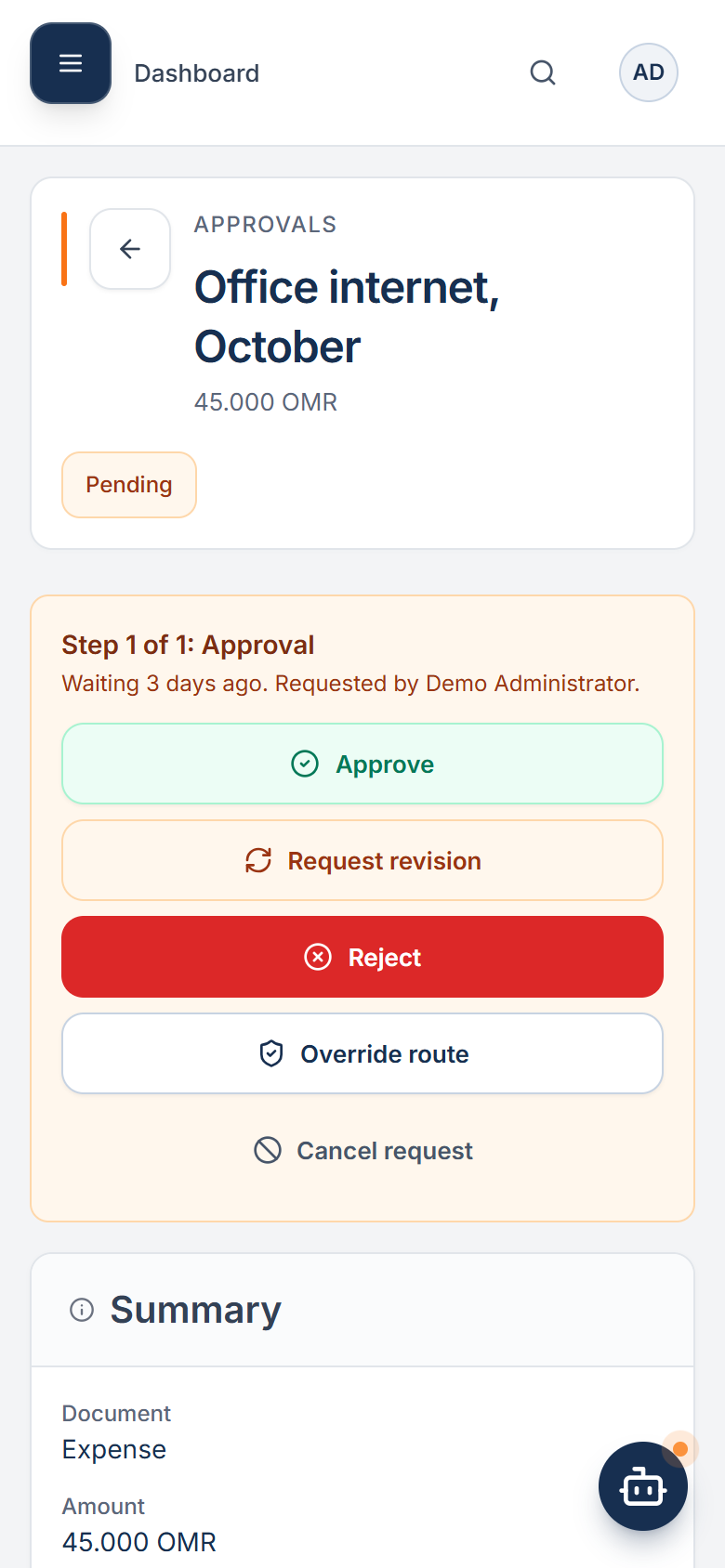
Approvals From AnywherePush notifications and email bring every request to the right approver, on phone or desktop.
One Linked ChainA delivery note knows its LPO, an invoice knows its delivery note, a receipt knows its invoice.
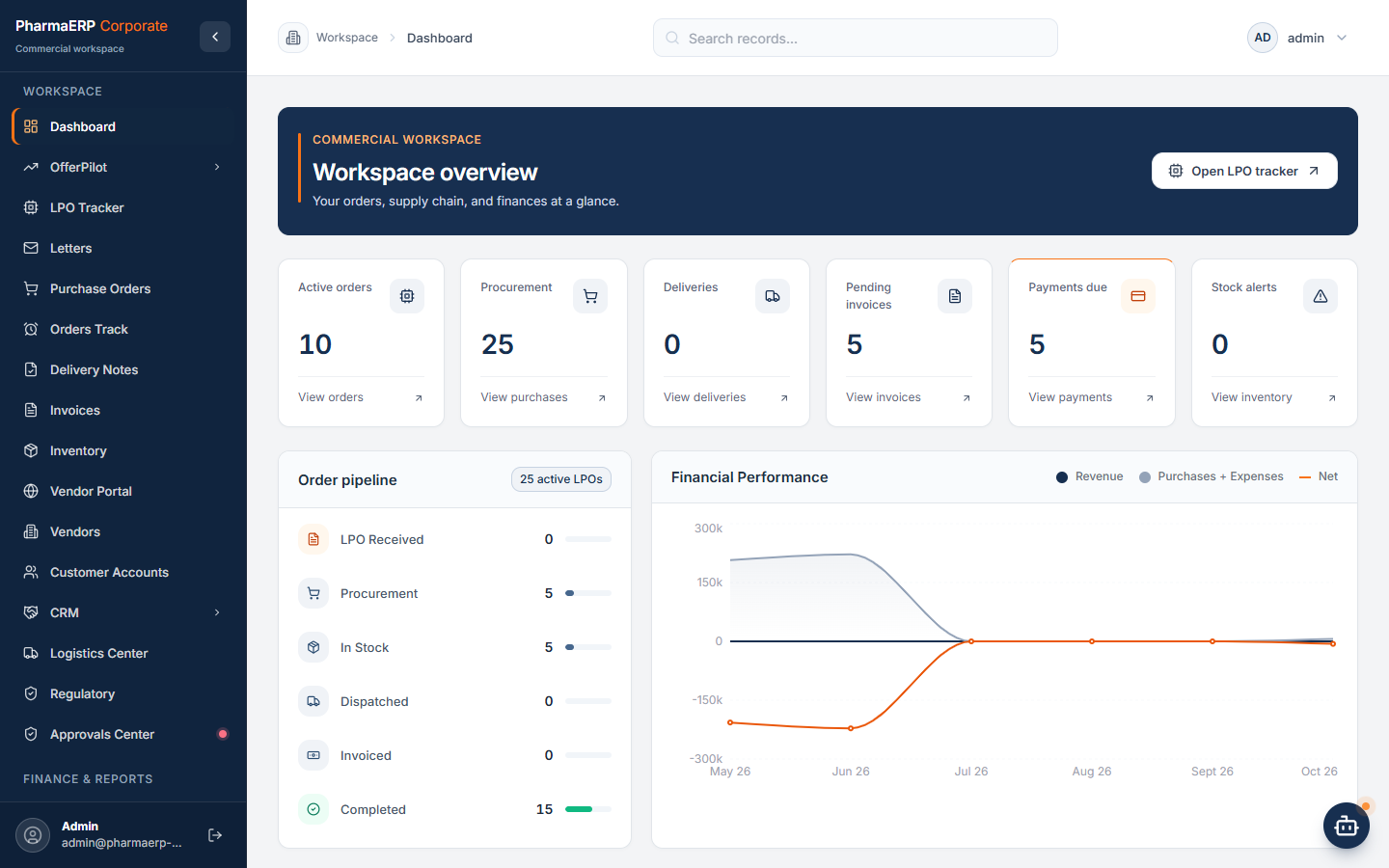
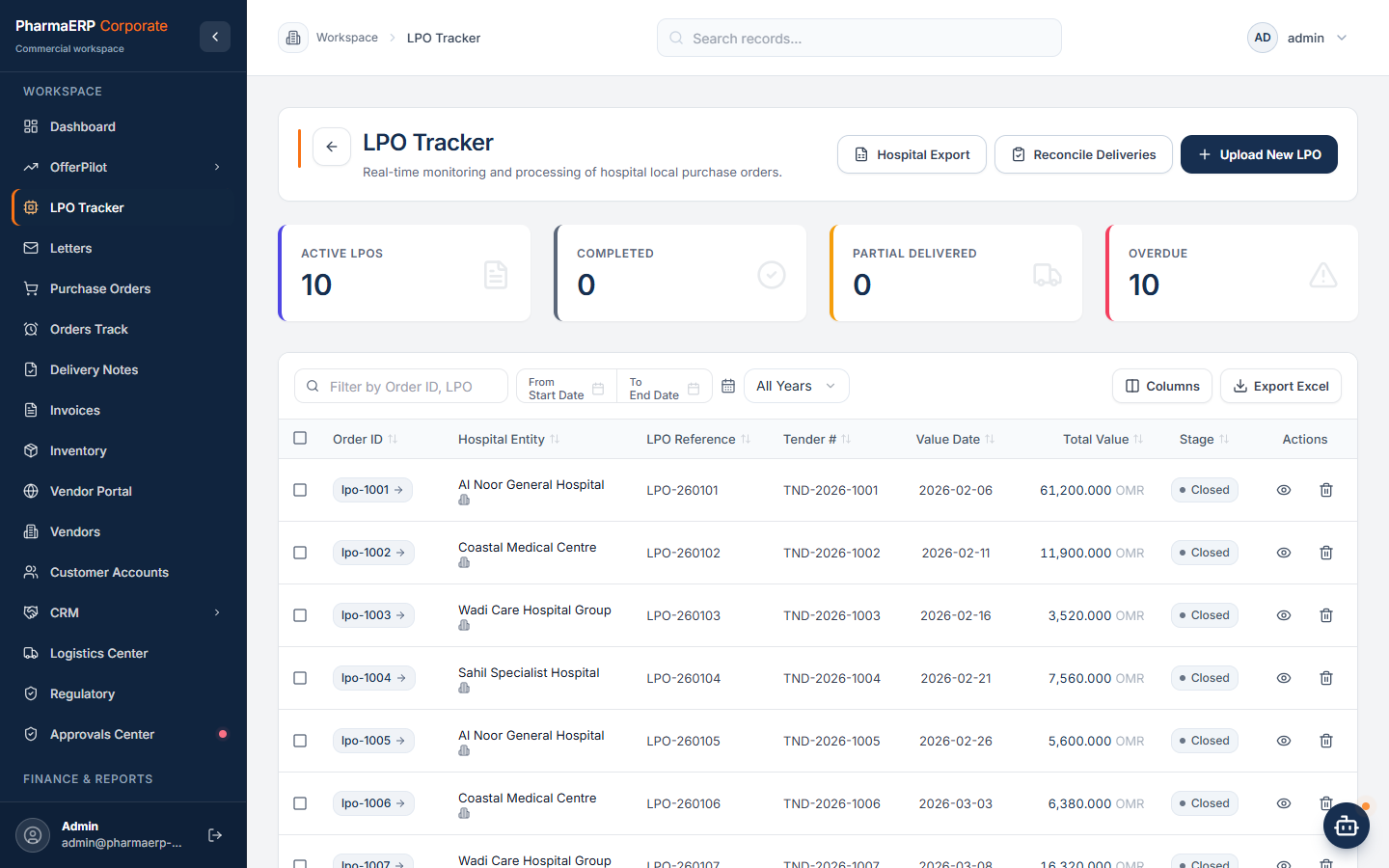
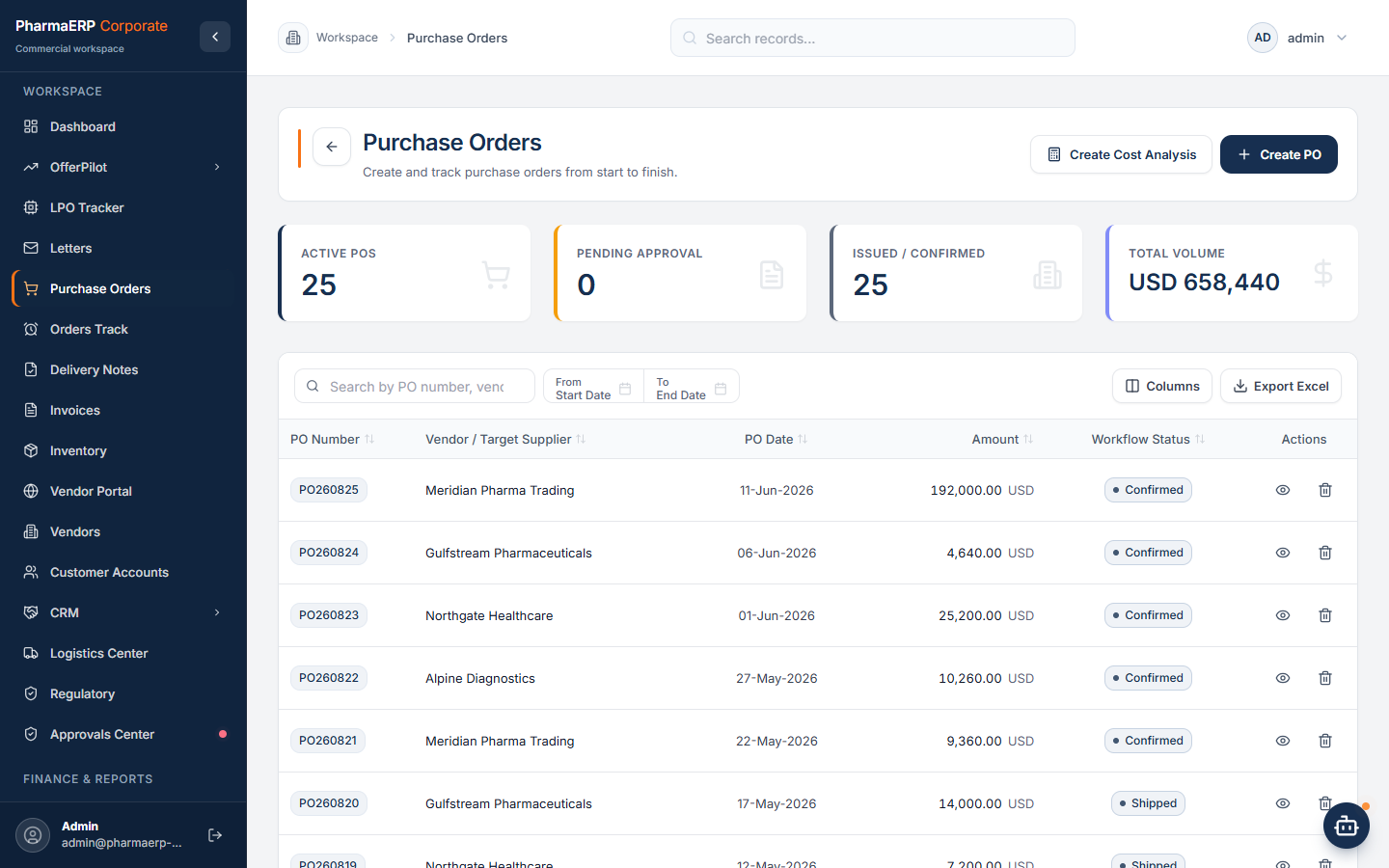
Workspace Overview: Orders, Procurement, Deliveries, Invoices And Payments At A Glance.
How The Work Flows
From Tender To Payment, Without Retyping A Single Line.
Each step starts from the record before it. Items, quantities and prices move forward with the work, so nothing is copied by hand and nothing gets lost between teams.
01
Tender
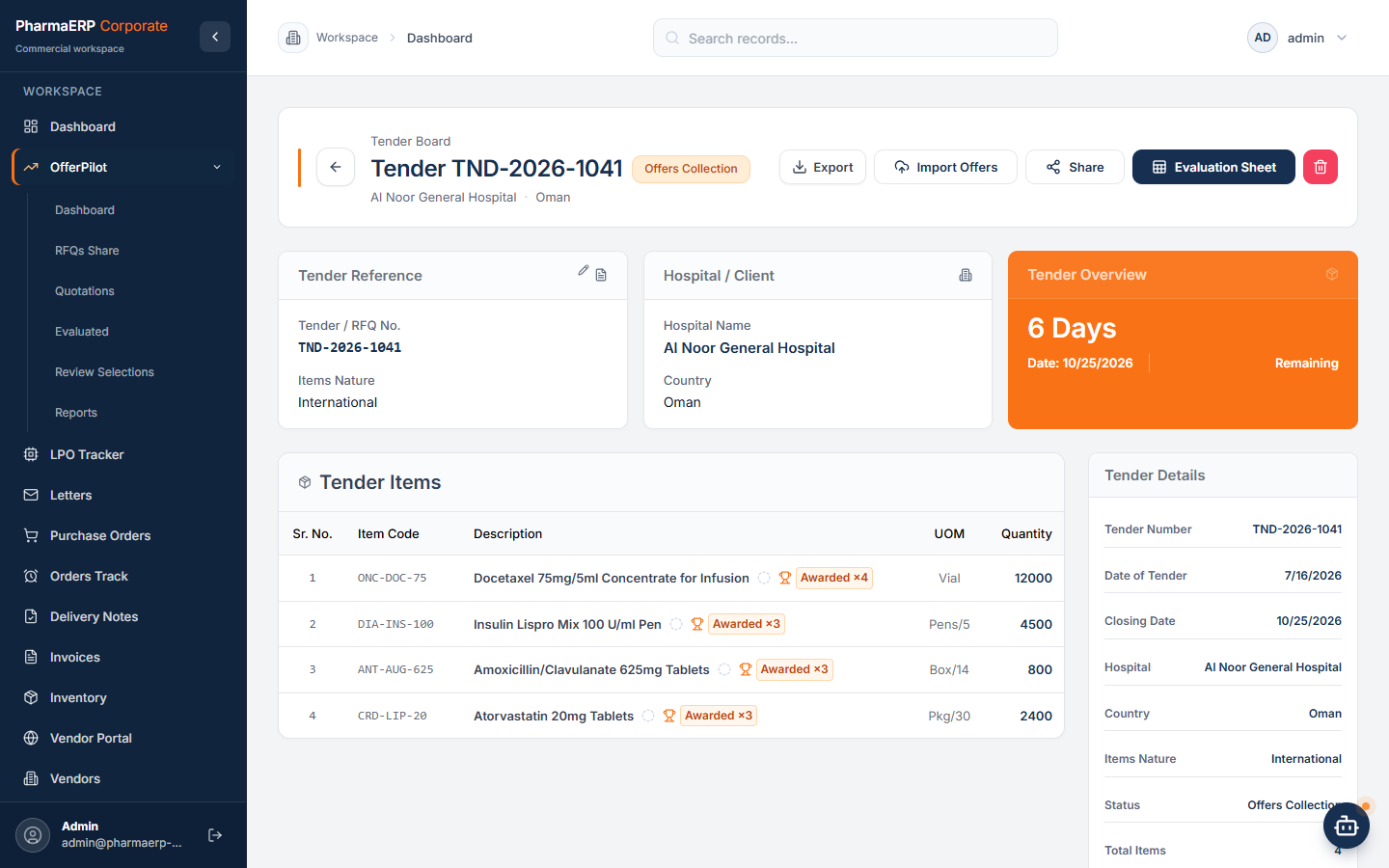
Find new public tenders for medicines and medical goods every morning, or upload a tender file. AI extracts the items.
02
Request For Quotation
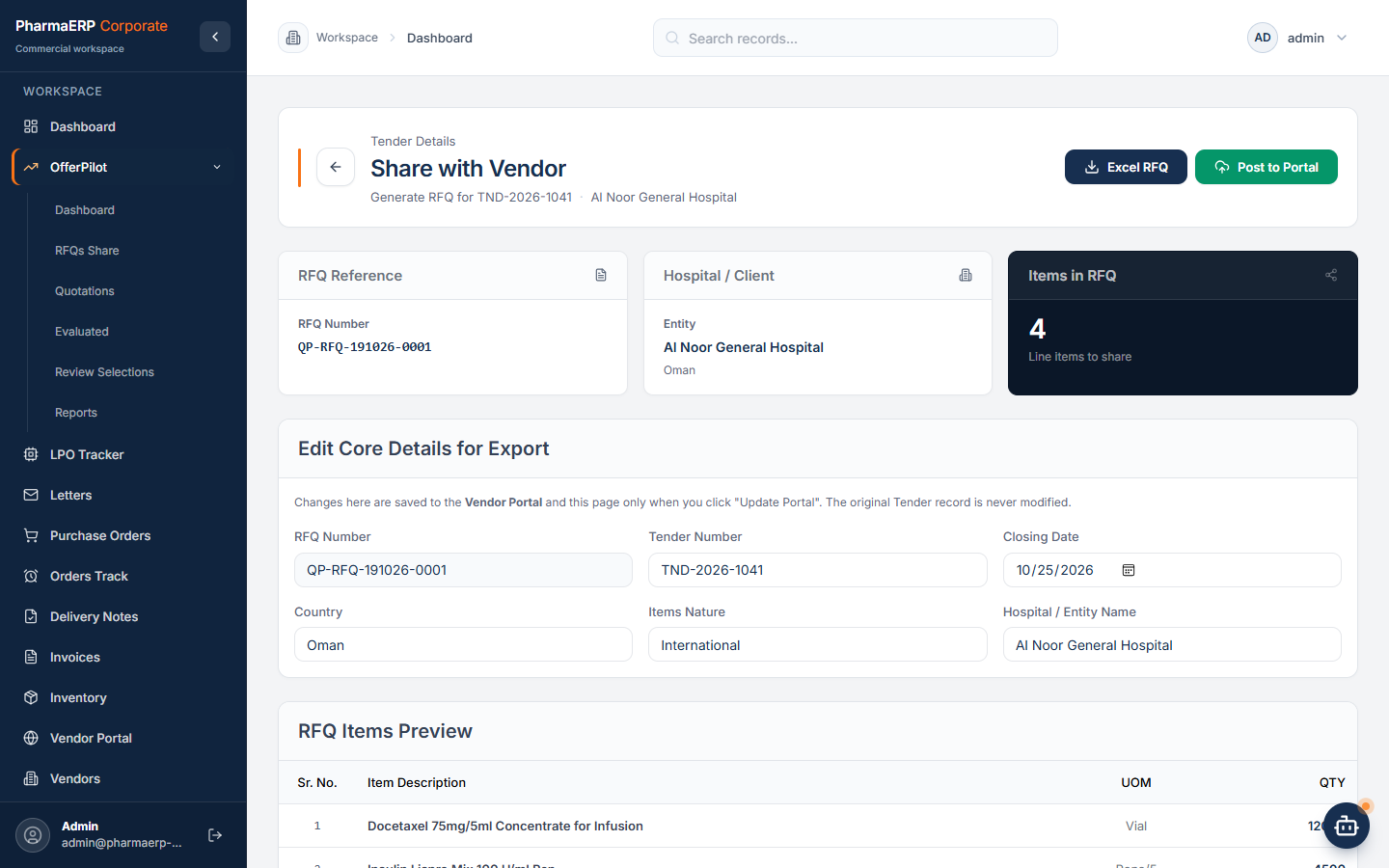
Send selected items to selected vendors through the vendor portal and by email.
03
Compare Offers
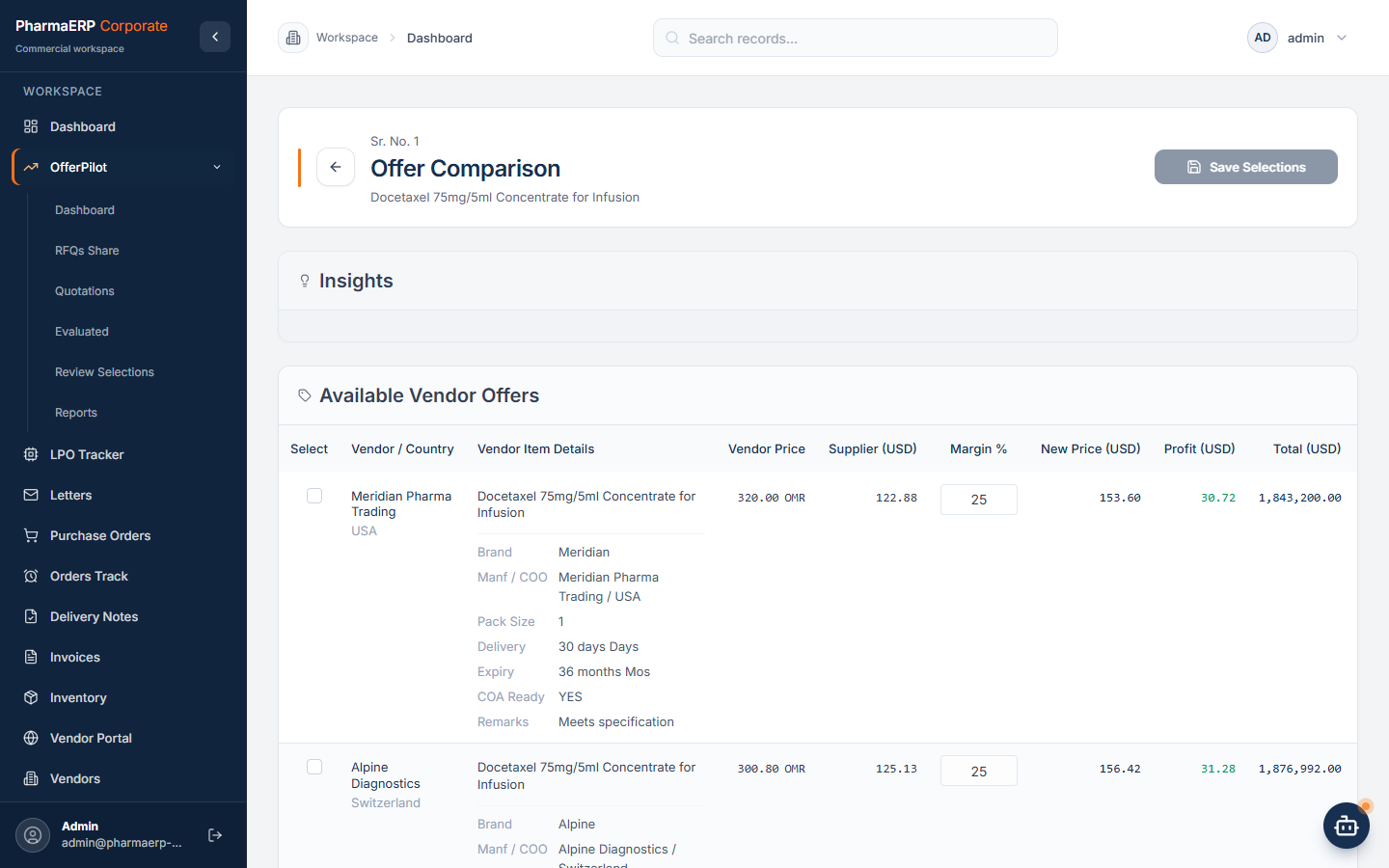
See every vendor offer side by side with currency, margin, shelf life and delivery time.
04
Quote The Customer
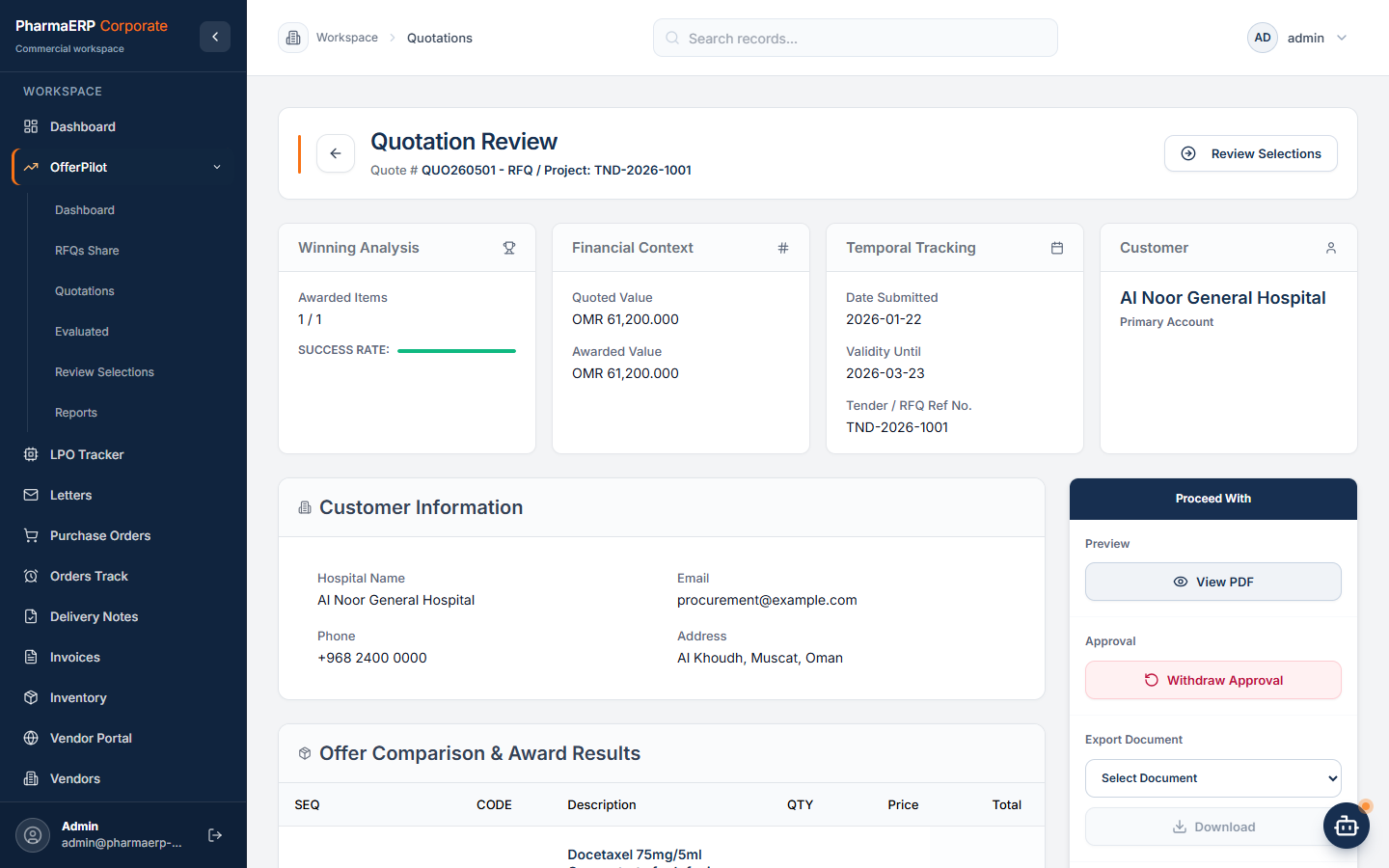
Build the quotation from the chosen offers and route it for approval before it goes out.
05
LPO Received
Upload the customer LPO. AI reads it and links it to your quotation, marking the awarded items.
06
Purchase Orders
Create one purchase order per vendor straight from the LPO lines, then approve and send.
07
Shipment And Clearance
Track shipments, cold chain items and clearance until the goods are received.
08
Delivery Note
Deliver with batches and expiry dates. Over-delivery against the LPO is caught automatically.
09
Invoice And Payment
Invoice from the delivery note, record receipts against the invoice and follow aging and margin.
Win Point 01
OfferPilot: Win More Tenders With Less Paperwork.
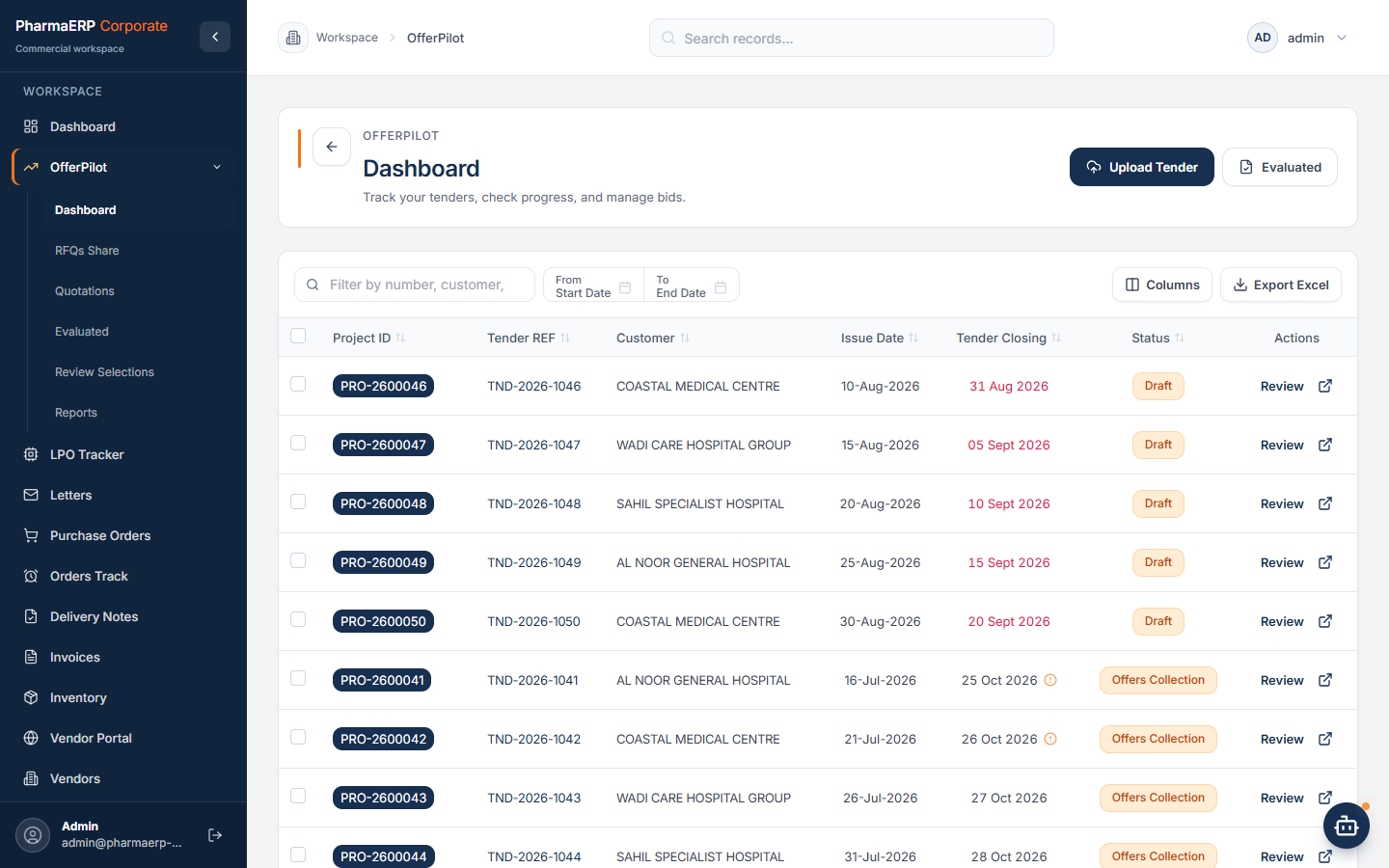
OfferPilot runs the whole tender cycle, from spotting a new tender to notifying the winning vendors. AI does the reading and the first pass. Your team checks, decides and sends.
Step 1
Never Miss A New Tender
The service monitors electronic tenders available in your area every morning and identifies new tenders for medicines, medical equipment, laboratory supplies and other medical goods. Your sales and operations team get a notification. You can also fetch the latest list at any time.
Note: Electronic tender coverage varies by country, so this service is available on request.
Step 2
Upload The Tender, Let AI Read It
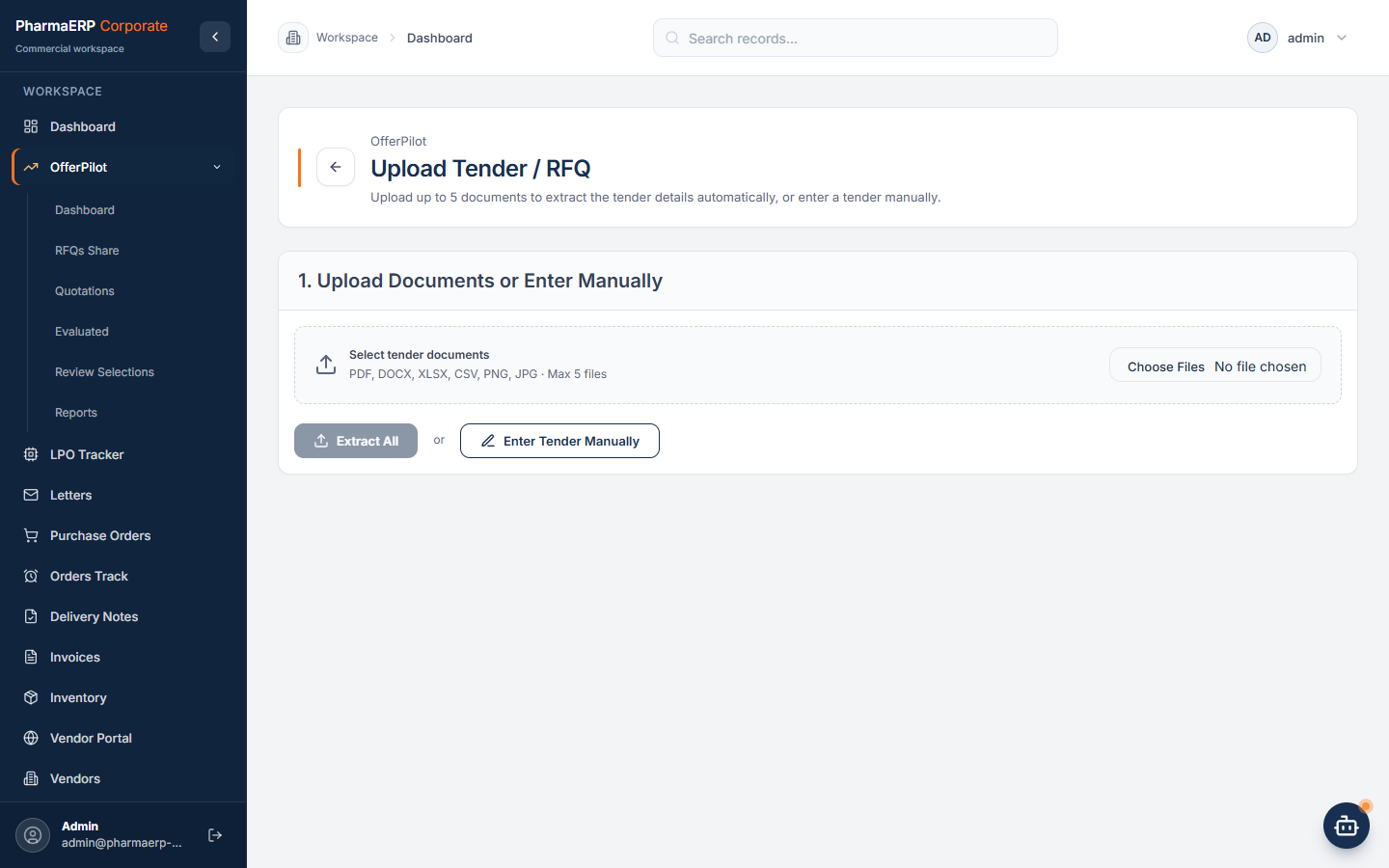
Drop in the tender PDF or a scan. AI extracts the tender number, dates, entity and every line item with code, description, quantity and unit. Your team reviews and corrects before saving, and duplicate tenders are flagged.
Step 3
Know What Is Registered And What You Won Before
Each item is matched against the Ministry of Health product register, and against your own past LPOs to show what you were awarded before. Pricing decisions start from facts.
Note: Registered products vary by country according to each country’s Ministry of Health lists.
Step 4
Send RFQs In One Step
Pick the items and the vendors. The request appears in each vendor's portal and goes out by email from your own company mailbox, using a template you control.
Step 5
Compare Every Offer Side By Side
Vendors submit price, currency, brand, origin, pack size, expiry and delivery time in the portal, or you upload their sheets and AI reads them. Compare offers per item with exchange rates, editable margins and an AI summary. Auto-Select suggests a winner per item; your team makes the call.
Step 6
Quote, Approve, Export
Build the customer quotation from the chosen offers, with alternatives, shelf life, delivery, tax and validity. It goes through your approval route, then exports as PDF and Excel together with the tender envelope and cover letter.
Step 7
Award And Notify
When the customer LPO arrives, AI reads it and links it to your quotation by number, marking the awarded items. Choose which winning vendors receive an award email, and move straight on to purchase orders.
Win Point 02
Approvals From Anywhere. Control Everywhere.
Managers no longer need to be at a desk for work to move. Requests reach them on their phone, and every decision is recorded.
Approve On The Go
Push NotificationsNew requests, next steps and final outcomes arrive on every device the approver has registered, phone or desktop.
Email With A Direct LinkA clear email opens the request in one tap.
Made For The PhoneEach request opens in a mobile friendly page with the summary, the route and large decision buttons.
Installable AppAdd PharmaERP Corporate to the home screen on Android or iPhone, or install it on the desktop.
Your Approval Rules, Your Way
Every Key DocumentPurchase orders, quotations, letters, cost analyses, invoices, delivery notes, receipts, expenses, payment requests and vendor registrations.
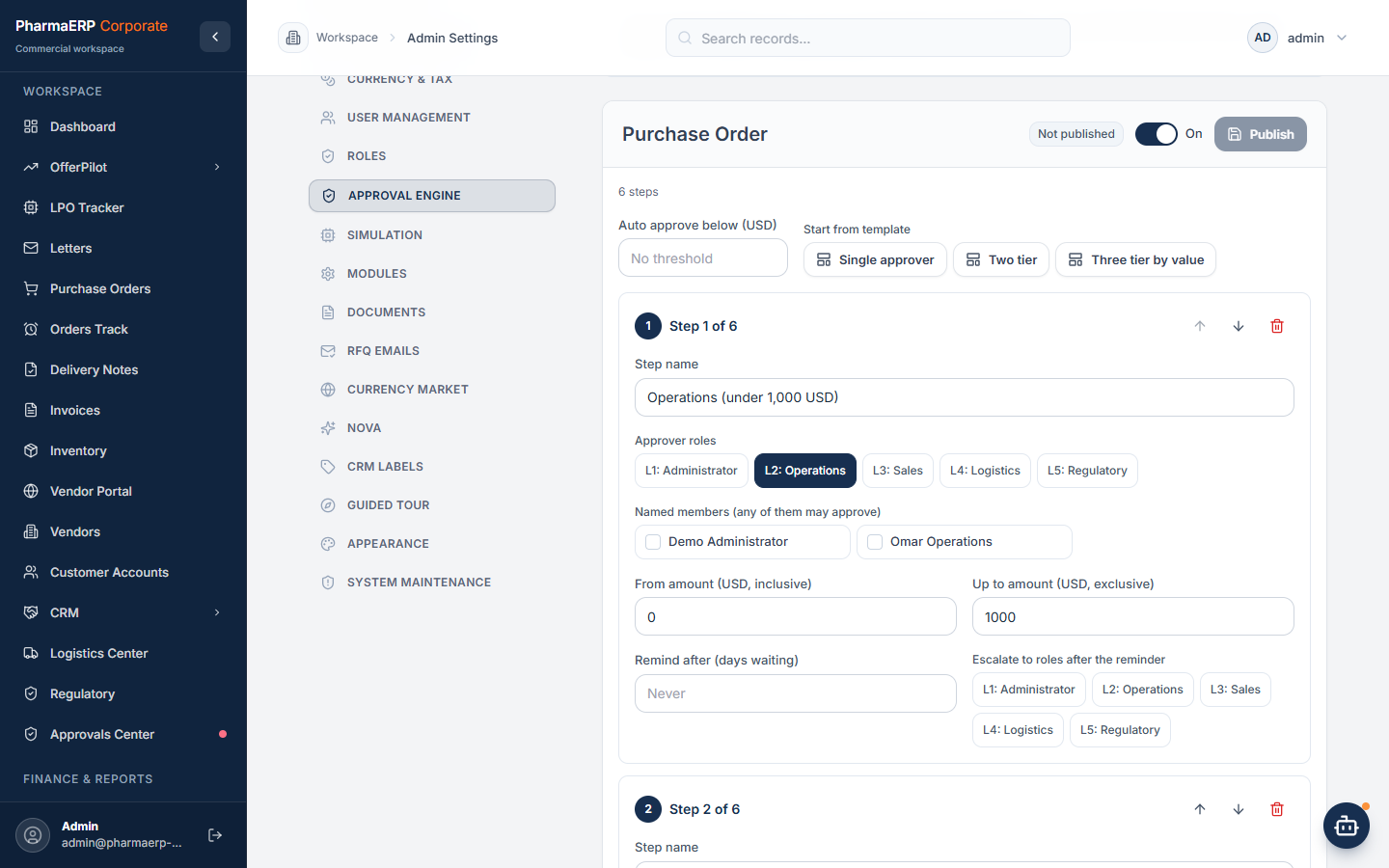
Steps By ValueSet ordered steps, approver roles or named people, and amount bands. Small amounts can approve automatically.
Reminders And EscalationIf a request waits too long, the approver is reminded and the request escalates to the roles you choose.
Test Before You PublishStart from a template, then simulate the route for any amount before switching it on.
Nothing Approved By Accident
Clear DecisionsApprove, request a revision with a note, or reject with a reason.
Separation Of DutiesRequesters cannot approve their own requests.
Always The Latest VersionIf a document changes after it was submitted, an out of date decision is refused.
Full HistoryEvery submission, decision, reminder and escalation is kept on the request and in the audit log.
Everything Else You Need
One Workspace For The Whole Business.
Purchase Orders
One purchase order per vendor, created from the LPO lines with Incoterms and payment terms. After approval, attach the signed copy and the vendor invoice, and the order joins the payment queue. Orders Track shows LPO lines that still need a purchase order, flagged by days remaining.
Logistics And Regulatory
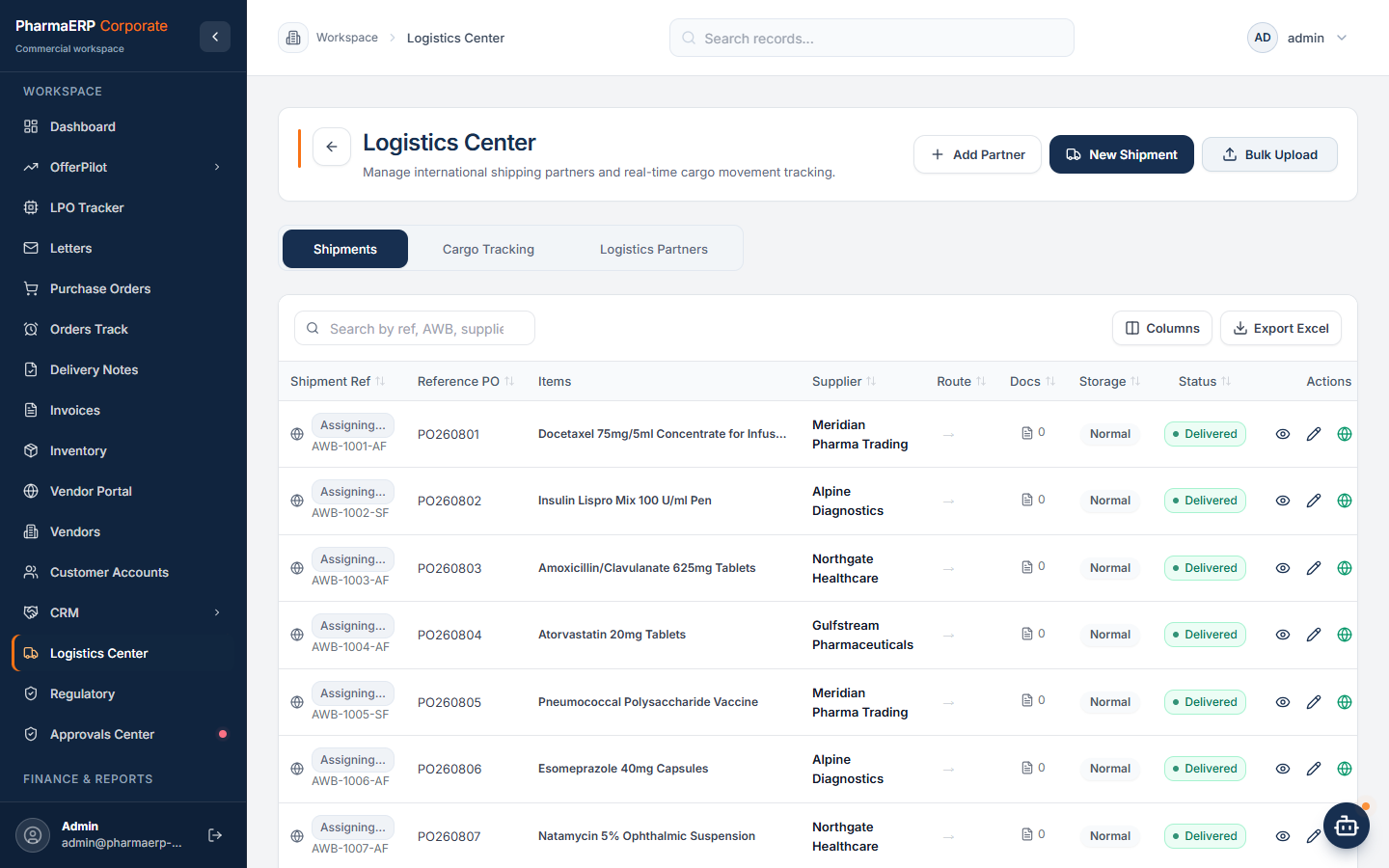
Create shipments from packing lists and invoices that AI reads for you. Flag cold chain items, follow each shipment from tracking to clearance and receipt, and manage Form I and clearance per item, including controlled medicines.
Delivery Notes
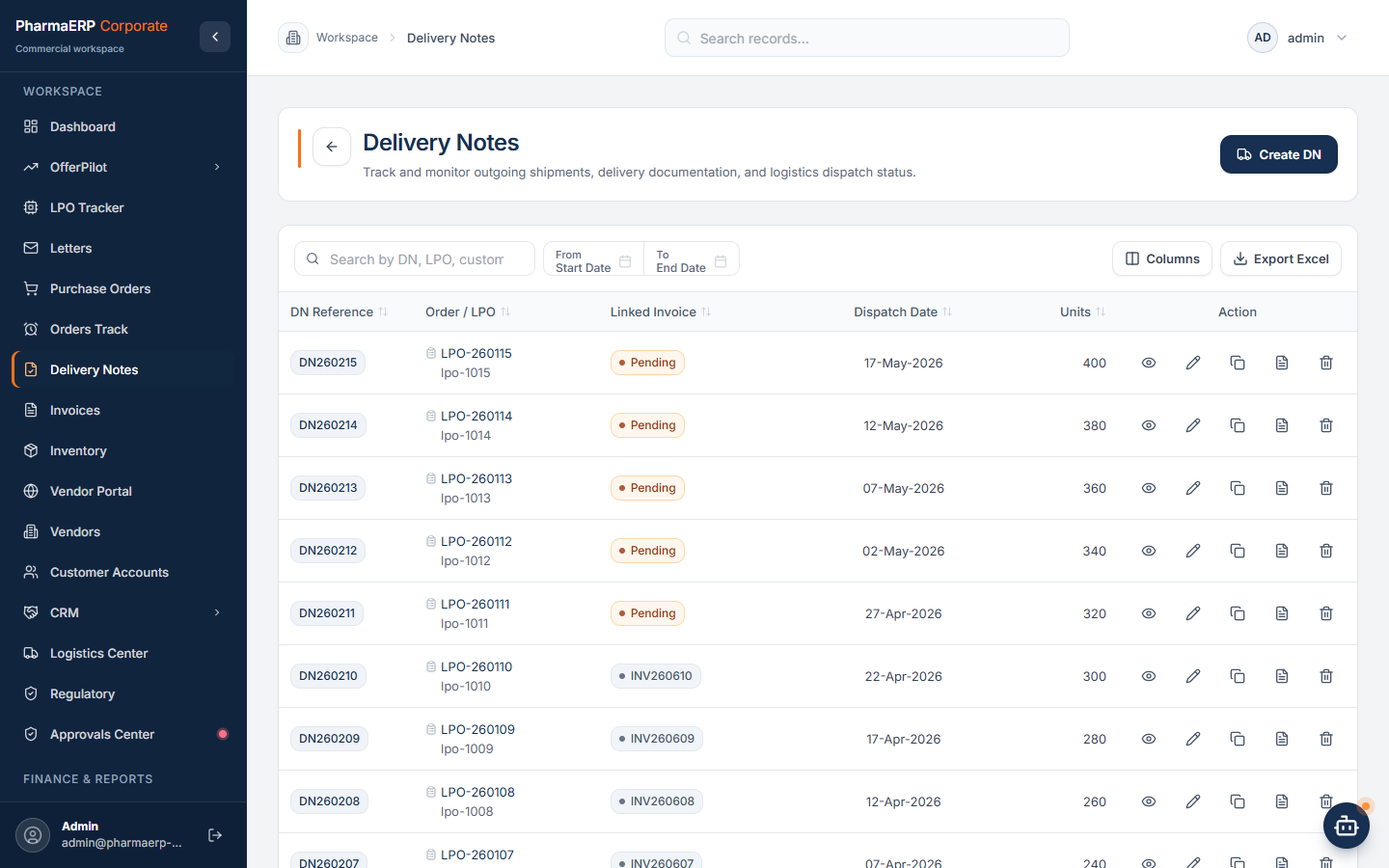
Deliver with batch numbers and expiry dates, free of charge lines and printable box labels. Deliveries are checked against the open LPO quantity, and the LPO fulfilment updates itself.
Invoices And Payments
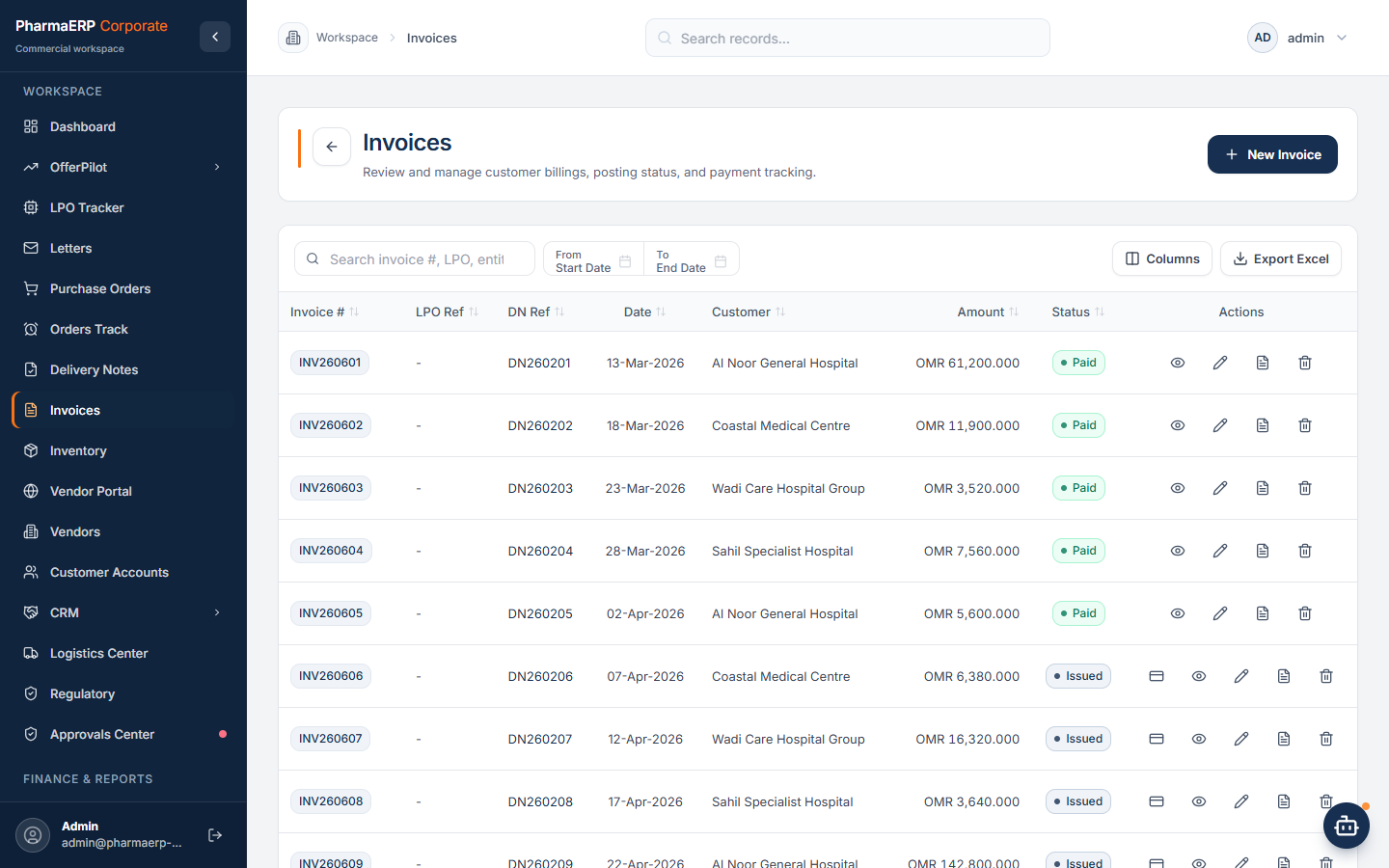
Invoices are created from the delivery note, with the due date taken from the payment terms. Receipts are recorded against the invoice, and penalties and partial payments are tracked.
Finance And Reports
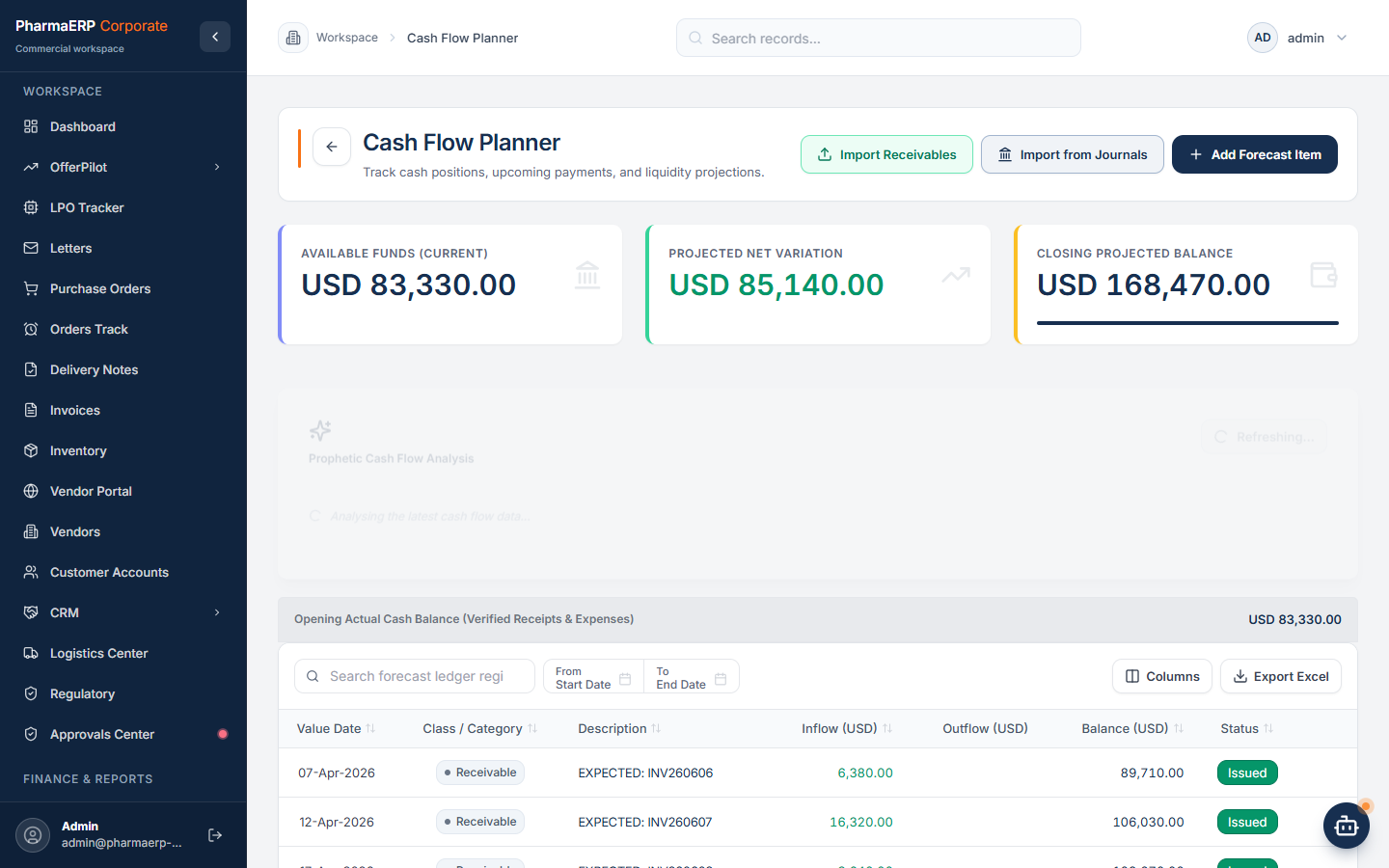
A cash flow planner with expected and confirmed items, plus aging, margin analysis, profit and loss, VAT reports, payment requests and an expense journal. Scan a bill and AI fills in the expense.
Vendor Portal
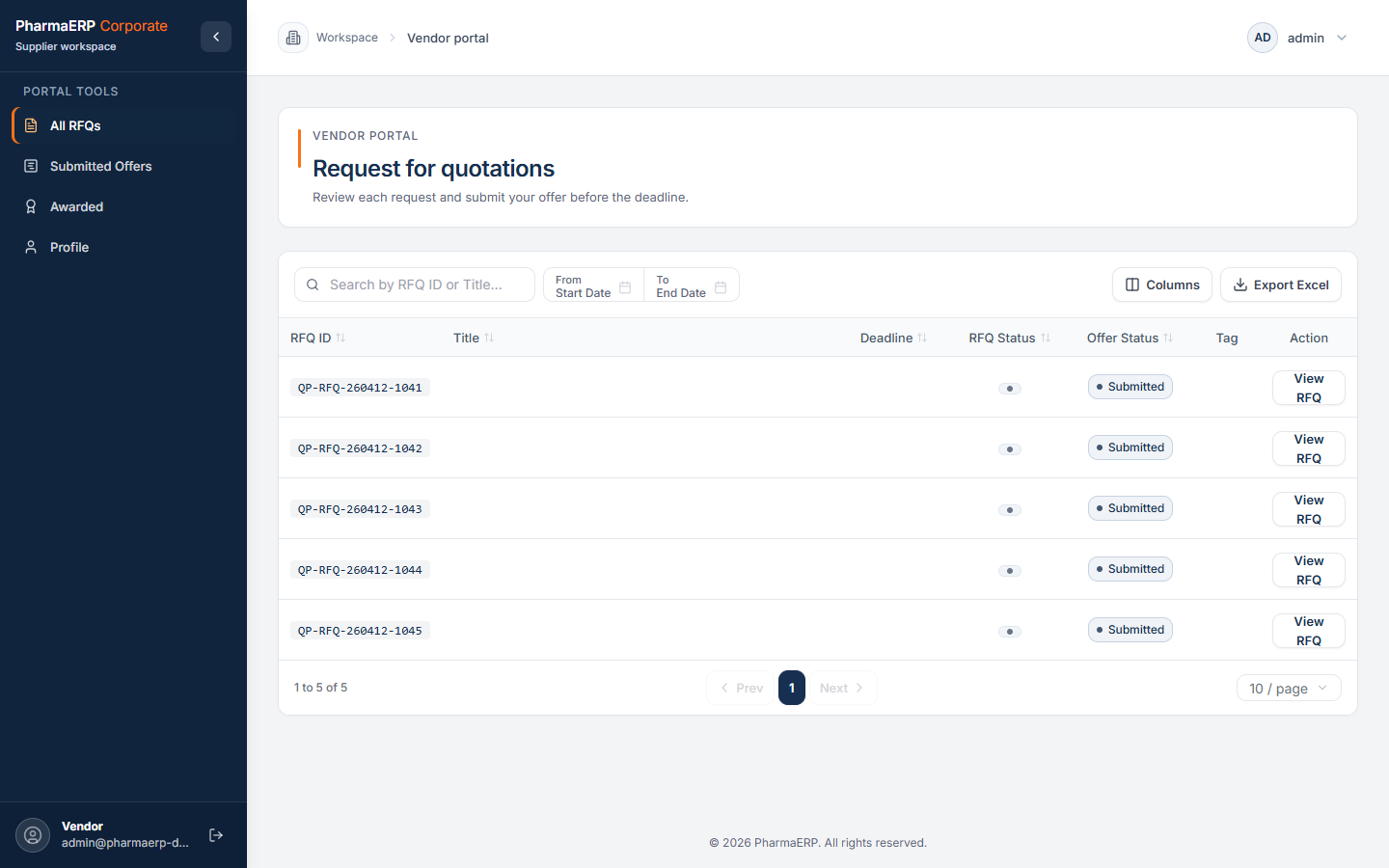
Vendors register through your company link and start once you approve them. They see only the RFQs you share, submit offers per item, and follow their awards.
Nova, Your AI Assistant
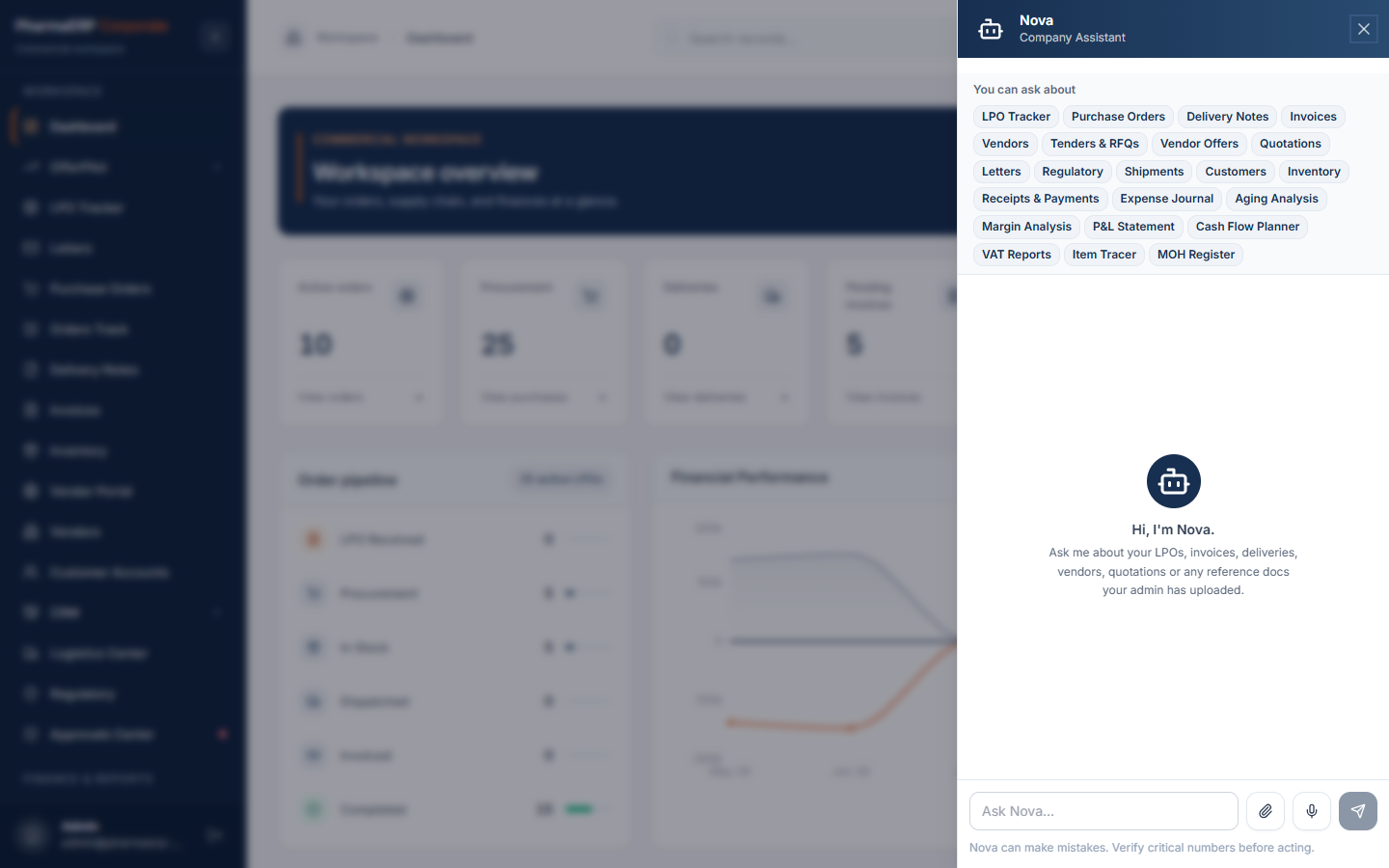
Ask Nova about LPOs, orders, deliveries, invoices, aging, margins or cash flow and get answers from your own records. Nova is read only, follows each user's role, and replies in the language you write in.
Letters And CRM
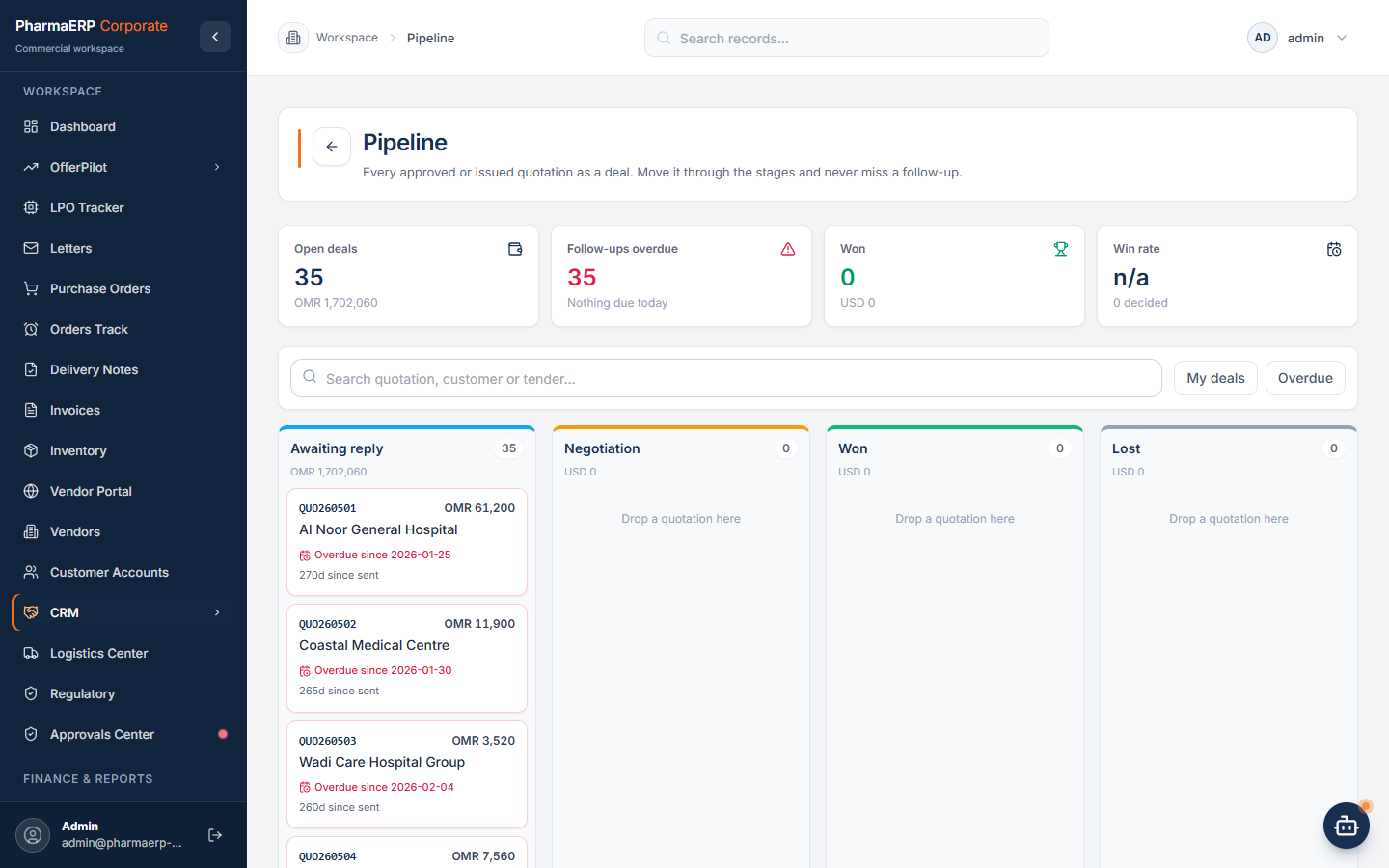
Incoming and outgoing letters with AI summaries and drafts, including Arabic replies. A CRM for leads, opportunities and quotation follow ups, with tasks, mentions, reminders and English and Arabic translation.
AI That Does The Reading
Less Typing. More Checking.
AI prepares the data. People review and decide.
Tenders And Vendor Offers
Customer LPOs, With A Consistency Check
Packing Lists, Shipping Invoices And Form I
Expense Bills
Bank Statements For VAT
Letter Summaries And Drafts
Offer Comparison Insights
Cash Flow Payable Suggestions
Security And Control
Your Data Stays Yours.
A Private Workspace
Each company works in its own workspace. Vendors see only what you share with them.
Roles That Fit Your Team
Five built in levels for administration, operations, sales, logistics and regulatory, plus roles you define, each with its own menus and approval rights.
A Record Of Every Change
Every change is logged on the server with the person who made it. Logs cannot be edited or deleted.
Plans And Pricing
Pick A Plan. Try It Free First.
Every new company starts with a 15-day free trial of Business. No card needed; choose a plan when the trial ends, and pay from Settings, Billing inside the app.
15-day free trial. No card needed.
Starter
One company, the full tender to invoice workflow.
See prices in the app
1 company, up to 10 users
Tenders, RFQs, quotations and evaluations
LPOs, purchase orders, delivery notes and invoices